 |
Microscopy Image Browser
1.233
|
|
Microscopy Image Browser
1.233
|
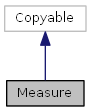
class is resposnible for keeping Measurements of the model More...

Public Member Functions | |
| Measure (hImg) | |
| Constructor for the class. More... | |
| function | addMeasurements (newData, n) |
| add or insert measurement into the obj.Data structure More... | |
| function
handles = | addMeasurementsToPlot (handles, mode, axes) |
| plot measurement marks above the imageAxes of im_browser More... | |
| function | clearContents () |
| Set all elements of the class to default values. More... | |
| function | editMeasurements (handles, index, colCh) |
| function | removeMeasurements (index) |
| removeMeasurements(obj, index) Remove measurement(s) from the class More... | |
| function | setOptions () |
| Update all values of the Options structure of the class. More... | |
| function | setDefaultOptions () |
| Set all values of the Options structure of the class to default values. More... | |
| function
position = | drawROI (handles, type, pos, instant) |
| show a ROI object in the handles.imageAxes for selection of the area to measure More... | |
| function | updateROIposition1 (new_position) |
| Update ROI position during movement of imrect and imellipse. More... | |
| function | updateROIposition2 (new_position) |
| Update position during movement of impoly, imline. More... | |
| function | updateROIScreenPosition (mode) |
| Updates position of ROI when plotting in handles.imageAxes. More... | |
| function number = | getNumberOfMeasurements () |
| number = getNumberOfMeasurements(obj) Get number of stored measurements More... | |
| function circ = | circlefit (x, y) |
| least squares circle fitting (see matlab help/demo (pendulum)) More... | |
| function result = | AngleFun (handles, index, colCh, finetuneCheck) |
| This function allows the measurement an angle between 3 points. More... | |
| function result = | CaliperFun (handles, index, colCh, finetuneCheck) |
| measuring a distance between two opposite sides of an object More... | |
| function result = | CircleFun (handles, index, colCh, finetuneCheck) |
| This function allows the measurement of a radius, using a cirlce. More... | |
| function result = | DistanceFreeFun (handles, colCh, finetuneCheck) |
| measuring of distance along the free-hand path. The path is converted to impoly line More... | |
| function result = | DistancePolyFun (handles, index, colCh, noPoints, finetuneCheck) |
| measuring of distance along the path More... | |
| function result = | PointFun (handles, index, colCh, finetuneCheck) |
| add a point as a marker More... | |
| function result = | DistanceFun (handles, index, colCh, finetuneCheck) |
| measuring of a two point distance More... | |
Public Attributes | |
| Data | |
a structure with measurements .Data.n - index, double .Data.type - type, string: LinDistance, .Data.value - value, double .Data.X - X-coordinates of points .Data.Y - Y-coordinates of points .Data.Z - Z-coordinates of points .Data.T - T-coordinates of points .Data.spline .Data.circ .Data.intensity - average intensity of the profile .Data.profile - intensity profile More... | |
| hImg | |
| handle to imageData class More... | |
| Options | |
a structure with show options .Options.marker1 = o; - style 1 for markers .Options.marker2 = .; - style 2 for markers .Options.markersize = 10; - size of markers .Options.linestyle1 = -; - style 1 for lines .Options.linestyle2 = –; - style 2 for lines .Options.linewidth = 1 ; - width for lines .Options.color1 = y; - color style 1 .Options.color2 = k; - color style 2 .Options.textcolorfg = y; - text color .Options.textcolorbg = none; - color for text background .Options.fontsize = 14; - size of the font .Options.splinemethod = spline; - method for splines .Options.showMarkers = 1; .Options.showLines = 1; .Options.showText = 1; More... | |
| roi | |
| a structure with ROI data: More... | |
| typeToShow | |
| a string that defines type of measurements to show: More... | |
class is resposnible for keeping Measurements of the model
| Measure.Measure | ( | hImg | ) |
| function Measure.addMeasurements | ( | newData, | |
| n | |||
| ) |
add or insert measurement into the obj.Data structure
| newData | structure of a new measurement to insert. Fields should match those of obj.Data |
| n | [optional] position where to add the measurement, default - number of measurements in obj.Data + 1 |
Examples:
| function handles = Measure.addMeasurementsToPlot | ( | handles, | |
| mode, | |||
| axes | |||
| ) |
plot measurement marks above the imageAxes of im_browser
| handles | handles structure of im_browser.m |
| mode | a string that defines a mode of the shown image: shown (in most cases), or full (for panning) |
| axes | [optional], define a handles to axes that should be used for drawing, used in ib_snapshotGui.m; default handles.imageAxes |
Examples:
| function result = Measure.AngleFun | ( | handles, | |
| index, | |||
| colCh, | |||
| finetuneCheck | |||
| ) |
This function allows the measurement an angle between 3 points.
| handles | handles of im_browser |
| index | [Optional] an index of measurement to update; when empty ([] ) - adds a new measurement |
| colCh | [optional] color channel to use for profile; default = 1 |
| finetuneCheck | [optional] 1 (default) - allow fine-tuning during the placing of measurements; 0 - instant placing |
| finetuneCheck | result - 1-success, 0-cancel |
Examples
References getClickPoint().

| function result = Measure.CaliperFun | ( | handles, | |
| index, | |||
| colCh, | |||
| finetuneCheck | |||
| ) |
measuring a distance between two opposite sides of an object
| handles | handles of im_browser |
| index | [Optional] an index of measurement to update; when empty ([] ) - adds a new measurement |
| colCh | [optional] color channel to use for profile; default = 1 |
| finetuneCheck | [optional] 1 (default) - allow fine-tuning during the placing of measurements; 0 - instant placing |
| finetuneCheck | result - 1-success, 0-cancel |
Examples
References getClickPoint().

| function circ = Measure.circlefit | ( | x, | |
| y | |||
| ) |
least squares circle fitting (see matlab help/demo (pendulum))
| x | |
| y |
| circ |
| function result = Measure.CircleFun | ( | handles, | |
| index, | |||
| colCh, | |||
| finetuneCheck | |||
| ) |
This function allows the measurement of a radius, using a cirlce.
| handles | handles of im_browser |
| index | [Optional] an index of measurement to update; when empty ([] ) - adds a new measurement |
| colCh | [optional] color channel to use for profile; default = 1 |
| finetuneCheck | [optional] 1 (default) - allow fine-tuning during the placing of measurements; 0 - instant placing |
| finetuneCheck | result - 1-success, 0-cancel |
Examples
References getClickPoint().

| function Measure.clearContents | ( | ) |
Set all elements of the class to default values.
Examples:
Examples:
| function result = Measure.DistanceFreeFun | ( | handles, | |
| colCh, | |||
| finetuneCheck | |||
| ) |
measuring of distance along the free-hand path. The path is converted to impoly line
| handles | handles of im_browser |
| colCh | [optional] color channel to use for profile; default = 1 |
| finetuneCheck | [optional] 1 (default) - allow fine-tuning during the placing of measurements; 0 - instant placing |
| finetuneCheck | result - 1-success, 0-cancel |
Examples
References mib_inputdlg().

| function result = Measure.DistanceFun | ( | handles, | |
| index, | |||
| colCh, | |||
| finetuneCheck | |||
| ) |
measuring of a two point distance
| handles | handles of im_browser |
| index | [Optional] an index of measurement to update; when empty ([] ) - adds a new measurement |
| colCh | [optional] color channel to use for profile; default = 1 |
| finetuneCheck | [optional] 1 (default) - allow fine-tuning during the placing of measurements; 0 - instant placing |
| finetuneCheck | result - 1-success, 0-cancel |
Examples
References getClickPoint().

| function result = Measure.DistancePolyFun | ( | handles, | |
| index, | |||
| colCh, | |||
| noPoints, | |||
| finetuneCheck | |||
| ) |
measuring of distance along the path
| handles | handles of im_browser |
| index | [Optional] an index of measurement to update; when empty ([] ) - adds a new measurement |
| colCh | [optional] color channel to use for profile; default = 1 |
| noPoints | [optional] define number of points in the path; default = 5 |
| finetuneCheck | [optional] 1 (default) - allow fine-tuning during the placing of measurements; 0 - instant placing |
| finetuneCheck | result - 1-success, 0-cancel |
Examples
References getClickPoint().

| function position = Measure.drawROI | ( | handles, | |
| type, | |||
| pos, | |||
| instant | |||
| ) |
show a ROI object in the handles.imageAxes for selection of the area to measure
Creates an instanse of Matlab imroi class and store it in Measure.roi.imroi
| handles | handles structure of im_browser.m |
| type | a type of ROI: 'imline', 'imellipse' |
| pos | coordinates of the ROI
|
| instant | [optional], used only for imellipse to automatically get position of vertices. 1 or 0 (default). |
| position | coordinates of the selected area |
Examples:
| function Measure.editMeasurements | ( | handles, | |
| index, | |||
| colCh | |||
| ) |
| function number = Measure.getNumberOfMeasurements | ( | ) |
number = getNumberOfMeasurements(obj) Get number of stored measurements
| number | number of stored measurements |
Examples
| function result = Measure.PointFun | ( | handles, | |
| index, | |||
| colCh, | |||
| finetuneCheck | |||
| ) |
add a point as a marker
| handles | handles of im_browser |
| index | [Optional] an index of measurement to update; when empty ([] ) - adds a new measurement |
| colCh | [optional] color channel to use for profile; default = 1 |
| finetuneCheck | [optional] 1 (default) - allow fine-tuning during the placing of measurements; 0 - instant placing |
| finetuneCheck | result - 1-success, 0-cancel |
Examples
References getClickPoint(), and mib_inputdlg().

| function Measure.removeMeasurements | ( | index | ) |
removeMeasurements(obj, index) Remove measurement(s) from the class
| index | [optional], an index of the measurement point to remove, when empty or zero - removes all points |
Examples
| function Measure.setDefaultOptions | ( | ) |
Set all values of the Options structure of the class to default values.
Examples:
| function Measure.setOptions | ( | ) |
Update all values of the Options structure of the class.
Examples:
| function Measure.updateROIposition1 | ( | new_position | ) |
Update ROI position during movement of imrect and imellipse.
one of two functions resposible for update of Measure.roi. pos. The other one is Measure.updateROIposition2()
| new_position | a vector with coordinates of a new position [xmin, ymin, width, height] |
| function Measure.updateROIposition2 | ( | new_position | ) |
Update position during movement of impoly, imline.
one of two functions resposible for update of Measure.roi. pos. The other one is Measure.updateROIposition1()
| new_position | a vector with coordinates of a new position [point_number][x, y] |
| function Measure.updateROIScreenPosition | ( | mode | ) |
Updates position of ROI when plotting in handles.imageAxes.
| mode | identifier of the updating mode:
|
Examples
| Measure.Data |
a structure with measurements .Data.n - index, double .Data.type - type, string: LinDistance, .Data.value - value, double .Data.X - X-coordinates of points .Data.Y - Y-coordinates of points .Data.Z - Z-coordinates of points .Data.T - T-coordinates of points .Data.spline .Data.circ .Data.intensity - average intensity of the profile .Data.profile - intensity profile
| Measure.Options |
a structure with show options .Options.marker1 = o; - style 1 for markers .Options.marker2 = .; - style 2 for markers .Options.markersize = 10; - size of markers .Options.linestyle1 = -; - style 1 for lines .Options.linestyle2 = –; - style 2 for lines .Options.linewidth = 1 ; - width for lines .Options.color1 = y; - color style 1 .Options.color2 = k; - color style 2 .Options.textcolorfg = y; - text color .Options.textcolorbg = none; - color for text background .Options.fontsize = 14; - size of the font .Options.splinemethod = spline; - method for splines .Options.showMarkers = 1; .Options.showLines = 1; .Options.showText = 1;
| Measure.roi |
a structure with ROI data:
imlineaddNewPositionCallback function | Measure.typeToShow |
a string that defines type of measurements to show:
All - show allAngleCaliperCircle (R)Distance (linear)Distance (polyline)Point  1.8.3.1
